Office Hours: Mon-Fri 8:30am - 4:30pm     Ph: 309.665.0130 / 877.668.0130

We accept Visa | MC | Discover | Amex | Paypal

Laser Inkjet Printer Label Sheets
 
Our Philosophy: Buy a whole box of labels if you need a whole box of labels, otherwise - buy your inkjet & laser labels by the sheet. Perfect solution for home office, small business & special projects. Buy what you need.
 
Search by sku, label size or keyword:
| Home | Contact Us | Customer Feedback | Label Templates
LABELS BY THE SHEET
 
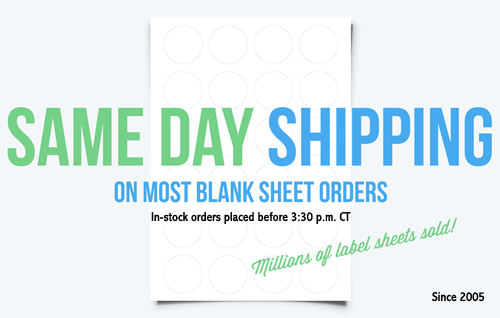
All orders for instock blank label sheets placed prior to 3:30 p.m. Central will SHIP SAME DAY.
$$$
Blank Inkjet & Laser Label Sheets
Standard White Labels
Recycled White Labels
White High Gloss Labels
Removable White Labels
Clear Gloss Labels (Inkjet)
Clear Gloss Labels (Laser)
Clear Matte Labels (Inkjet)
Clear Matte Labels (Laser)
Buff Ivory Labels
Khaki Tan Labels
Natural Tan Labels
Brown Kraft Labels
Prairie Kraft Labels
Pastel Labels
Bright Color Labels
Foil Labels
Water-Resistant Vinyl Labels (inkjet)
Water-Resistant Polyester Labels (Laser)
CLEARANCE
Label Sheets by Shape
Oval Labels
Round Labels
Rectangle Labels
Full Label Sheets (no die-cuts)
Specialty Sheets
Hang Tags
Mint Tin Labels
Business Cards
Note Cards
Water Bottle Labels
Wine / Beer Bottle Labels
CD / DVD Labels
USPS Click N Ship (compatible)

Create your own template using Sure Thing Office Labeler:


            Sure Thing Office Labeler is available for a free trail by going to  www.surething.com/downloads Make sure you download OFFICE LABELER and not the cd label program. If you do decide to buy it, it’s around $40 so it’s quite affordable. When you do buy it, it comes with a wonderfully easy instruction book, very well worth the money.


  1. When you open the program click on File>New. Make sure you select INKJET/LASER LABELS in the product type box.
  2. Select the "SmartDesigns" folder that most closely related to the type of label template you’d like to make.  On the right hand side, choose CUSTOM. Add the necessary information to build your template.
  3. Once your custom template information is input, you should calibrate your printer. (Choose Calibrate Printer, confirm correct printer is listed in printer field, press PRINT CALIBRATION SHEET – fold calibration sheet according to printed directions and enter values in the OFFSET fields. Your printer will now be offset by these values to accommodate for any errors in precision.
  4. open your Sure Thing template and design your labels – here are some general tips:
    1. design your label in single label view. To view entire page, go to view full page – to switch back to see a single label, go to view, single label.
    2. when creating a text box in a label, you can right click and then choose object properties – you can then choose text alignment – top, center, bottom or flush. If you are having a problem lining up your labels, you need to check this feature to see what has been marked. I think it defaults to top  - although you might think it looks like it’s in the center – this could throw your labels off.
    3. Pictures/Text Effects: Pictures and Text Effects can be changed by double clicking on them in Pointer mode.  This will bring up a dialog box that will let you modify the attributes of the object.
    4. once you have the first label designed, go to design, duplicate and enter the number for the remaining label position you’d like to fill – to check this, change to full page preview
    5. print your label page on a sheet of white paper – hold this paper up to the actual label sheet to see how it is lining up.
    6. if your design is off in any way, you can tweak the template to suit your needs by going to file, page setup – here you can edit your label size, your measurement from side to first label, your measurement from top to first label and the spacing in between labels. If the entire sheet looks like it’s a tad too far to the left, go to file, page set up and add just a small amount to your side margin – for example, if your side margin is .25 – change it to .26 and reprint to see if that made a big enough of a difference. If it’s a tad too far up or down, make this change (+ or -) to the top margin. If the top part of the sheet of labels is lining up but it’s offline by the time it gets to the bottom of the page, make this change to the vertical gutter (for example, if vertical gutter is .0625, change to .0626 – little changes at a time until you are aligned). If the labels are lined up on the left but fall offline by the time they get to the right side of the sheet, make this change to the horizontal gutter.
    7. When you feel confident about your alignment, print on your actual labels!

General Label Tips:

TIP #1– many label sheets have different top and bottom margins and different left and right margins. Choose the cleanest measurement (for example, choose .5 over .4375) for the top and side entered and remember which you choose, so that your label sheet can be properly inserted into the printer.

TIP #2 – many printers have different product type settings, you should choose glossy if your label surface is glossy, transparent if your label surface is clear, etc. If you are not getting the result you want on a normal paper setting, you can experiment with this feature. For example, our laser printer must be set on transparency to print correctly on our pastel line. (We are not sure why this is, but if you are having a problem with a certain product you might try this – when you hit print, choose properties and find in your printer dialog box where you can choose PAPER TYPE or MEDIA TYPE and do so to match your paper finish.

TIP#3 – every printer is different, every printer’s feed is different. Templates are guidelines only, you should expect to have to make minor adjustments prior to printing.

CUSTOM LABEL PRINTING
(from a roll)
 
Custom orders usually ship in 24-48 hours .
$$$
Custom Printed Labels
(from a roll)
Custom Printed Oval Labels
Custom Printed Round Labels
Custom Printed Rectangle Labels
Primera LX810 Color Label Printer & Supplies
Pre-Designed Labels
Customized Water Bottle Labels
Quick Candle Labels
Return Address Labels
Customized Candle Warning Labels
Pre-Printed Hang Tag Kits
My Shopping Cart
QtyItemTotal
$0.00
| Login | Forgot My Login | View Cart | Check Out | Save Cart | Retrieve Cart | My Account | Past Orders | Returns | Log Out

Standard Ground Shipping Rates:
up to 100 label sheets or 50 hang tag sheets $5.10 USPS or $6.85 UPS
over 100 label or 50 hang tag sheets $9.80 USPS or UPS startng at $7.65
(small orders up to 10 label
sheets or 5 hang tag sheets $3.10 first-class)
View our

 
Enter Your Email Here!
Sign up for a newsletter outlining updates and specials and instantly receive a 10% coupon code via email!

Please Note: We do not sell Avery products and are in no way affiliated with Avery-Dennison Corporation. The template numbers referenced within this site are listed to aid in proper software template layout selection in common label software programs. All product names and numbers, logos and trademarks are registered to the respective companies.

 
© 2005 - 2008  www.labelsbythesheet.com (a div. of Creative Label Concepts).  All Rights Reserved.
Unauthorized duplication of content, graphics and logos prohibited.
Website Design and Services